

Risk Register
What Is the Risk Register
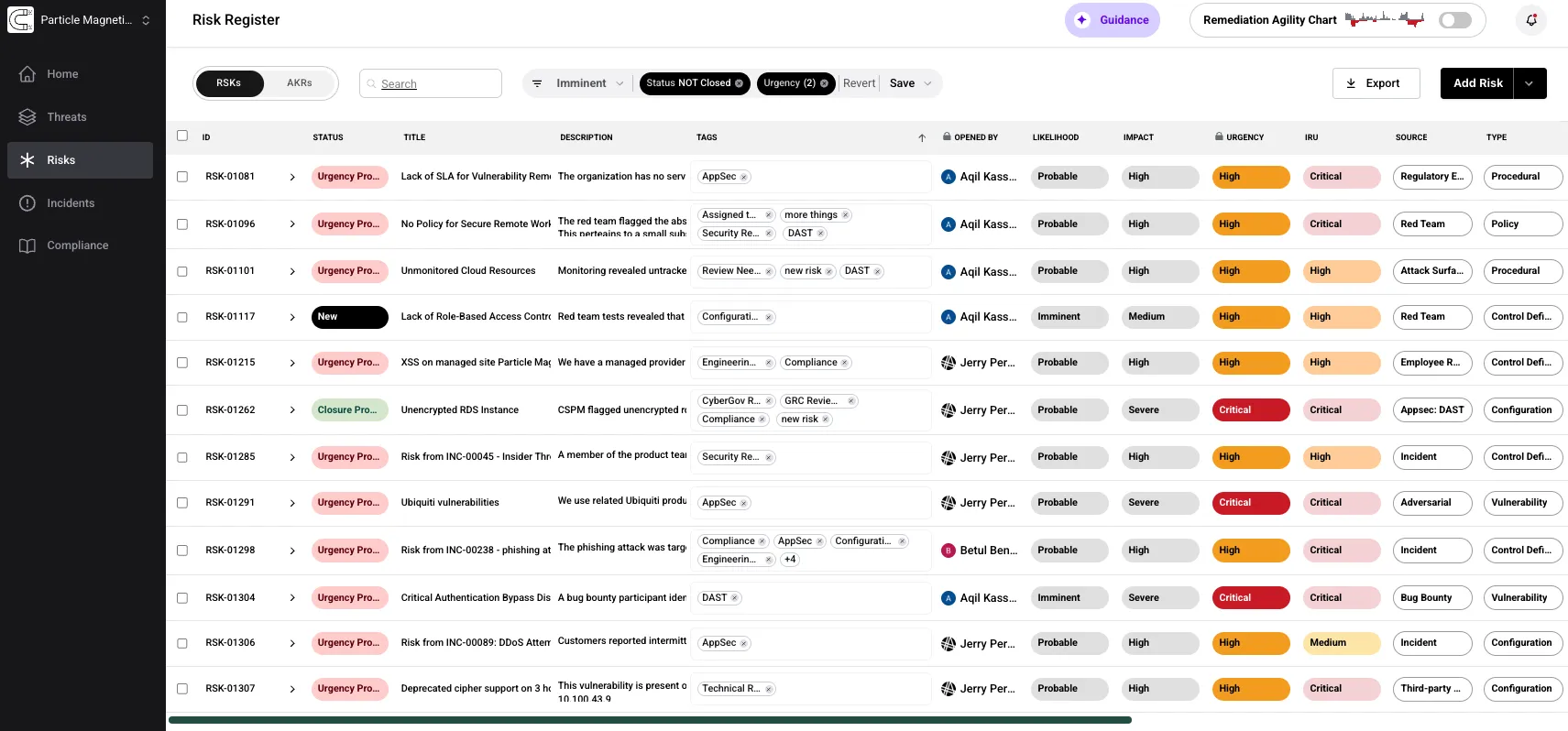
Section titled “What Is the Risk Register”The Risks module centers on a dynamic, source-agnostic Risk Register that unifies organizational risks with threat intelligence aligned to your company’s Threat Profile. Adversarial’s mapping engine translates incoming intel into Adversarial Key Risks (AKRs) and automatically injects them into the register — saving hours from scanning headlines and reducing reliance on costly feeds — so teams get a prioritized, actionable to-do list of tactical risks to mitigate.
To complete the picture, the platform also ingests company-authored risks (RSKs) from your existing identification tools, making the register a single clearinghouse for threats that can materialize today. From one view, users can capture risk details, set priorities and SLA-driven due dates, assign owners, and open new or assign existing service tickets to kick off remediation efforts.
RSKs vs AKRs
Section titled “RSKs vs AKRs”The risk register contains two kinds of records:
| RSKs | AKRs | |
|---|---|---|
| Full name | Risks | Adversarial Key Risks |
| Created by | Your organization — manually, via CSV, or through API integrations | The Adversarial team, automatically published to the platform |
| Purpose | Track tactical, operational risks from any source | Curated threat intelligence aligned to your Threat Profile |
| Editable | Yes | Threat Objective correlations and status are editable; users cannot create new AKRs |
| Affects Remediation Agility chart | Yes | No — AKRs are considered long-term project items and do not influence the Remediation Agility chart, the CyberGov, or the Board Deck |
Risk Lifecycle
Section titled “Risk Lifecycle”The risk lifecycle begins with identification and ends with validated remediation and closure.
- New — A risk is logged in the register (manually, via API, or CSV). Triage and investigation commence to confirm the reported urgency and assess impact.
- Urgency Proposed — Likelihood and Impact are assigned (manually or via AI Suggest Score), producing an Urgency rating and SLA-driven Due Date.
- Remediation — The risk is confirmed and remediation tasks are assigned. Depending on the ticketing system, a Jira or ServiceNow ticket is created to engage the appropriate teams and track progress. The Description and Comments fields are kept current so the risk register remains the organization’s system of record.
- Closure Proposed — Remediation is reported as complete and awaits validation. Useful for teams with multiple validators and approvers.
- Closed — Remediation is verified and the risk is formally closed.